Introduction
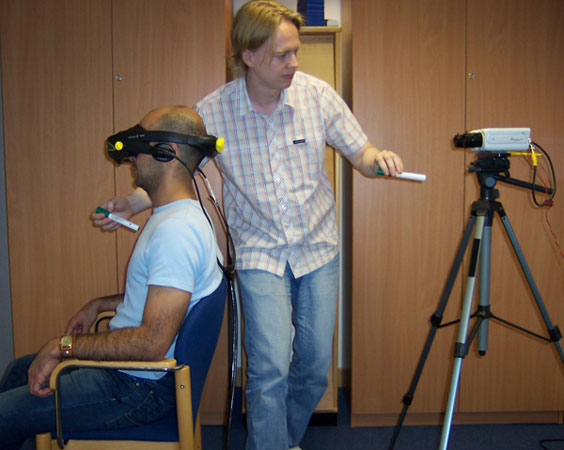
Gesture Recognition interprets human gestures by using mathematical algorithms. The face or hand is the most common bodily motions used in Gesture Recognition. One of the main focuses nowadays is emotion recognition by recognising the different gestures from the hand and face. There have also been attempts in understanding sign language by the use of cameras and computer vision.
Using Gesture Recognition computers are able to understand the human body language, therefore making the relationship computers and humans already have stronger. Gesture Recognition allows humans to interface with machines (HMI) and interact without any mechanical devices. Gesture Recognition allows the user to point their finger at a monitor on a PC, and by doing this the mouse pointer will move to where it’s supposed to go, because of this it could make PC input devices no longer required.
Uses of Gesture Recognition
Gesture Recognition is good for processing data from humans which is not input as speech or on a keyboard. Computers can identify many different types of gestures such as:
- Sign language recognition – Just as speech recognition can convert speech to text, different types of Gesture Recognition software can convert the symbols represented through sign language into text.
- For Socially Assistive Robotics – By using sensors such as Accelerometers and Gyros worn on the user and then reading the results given by the sensors, the robots are then able to assist in patient treatment, for example stroke rehabilitation.
- Directional indication through pointing – Using Gesture Recognition to show where a person is pointing is useful for identifying the instructions given.
- Control through facial gestures – Controlling a computer by using facial gestures is very useful for people who may not be able to physically be able to move a keyboard or mouse, for example Eye tracking is an excellent example of how the user would be able to control the cursor by focusing on different parts of the monitor.
- Alternative computer interfaces – Prior to the keyboard and mouse setup to interact with the computer, strong Gesture Recognition would allow the user to complete tasks by using hand or face gestures to a camera.
- Immersive game technology – The Nintendo Wii is a prime example of immersive game technology, the remote makes the game player’s experience more interactive.
- Virtual controllers – For systems where finding a physical controller could take up too much time, gestures can be used as another way to control, for example, a devices in a car or a television.
- Remote control – Thanks to Gesture Recognition, controlling a remote control with the wave of a hand is now possible. The signal must give the desired response. Playstation’s sixaxis controllers and the Nintendo Wii’s Remote are a good example of this.
Gesture Recognition Challenges
Gesture Recognition has many challenges associated with the accuracy and usefulness of Gesture Recognition software. With image-based Gesture Recognition there are limits as to the equipment used and image noise. The lighting used in images or video may not be very consistent, or in the same location. Objects in the background, or anything that stands out may make it more difficult for recognition.
In order to capture human gestures by the use of visual sensors, computer vision methods are also required, such as with hand tracking and hand posture recognition and also for capturing movements of the head and facial expressions.
Below are a couple of examples of gesture recognition:
http://www.youtube.com/watch?v=F8GVeV0dYLM
This video shows that Gesture Recognition is used to sense the users hand and detect how many fingers are being displayed, when the sensors pick up the users hand it then shows how many it thinks are being shown, and as you can see it is very accurate apart from when the user makes sudden movements or changes to how many fingers are being displayed.
http://www.youtube.com/watch?v=D2BcRblGVVM
This video shows Gesture Recognition software that speeds up/slows down/changes direction depending on which way the user is pointing their hand.
Below is an image of a Nintendo Wii Remote:

http://www.progex.at/progex/index.php/studies/4-flying-jj/33-the-wii-controller
Below is an image of a sixaxis Playstation 3 controller:

http://news.cnet.com/8301-17938_105-9781566-1.html
References
YouTube (2008) Simple Hand Gesture Recognition [online] available from
YouTube (2007) Gesture recognition [online] available from
::work in...projex:: (no date) the wii controller [online] available from
cnet news (2007) PS3 controller is ready to rumble [online] available from